Flywheel Tips
Create a new document
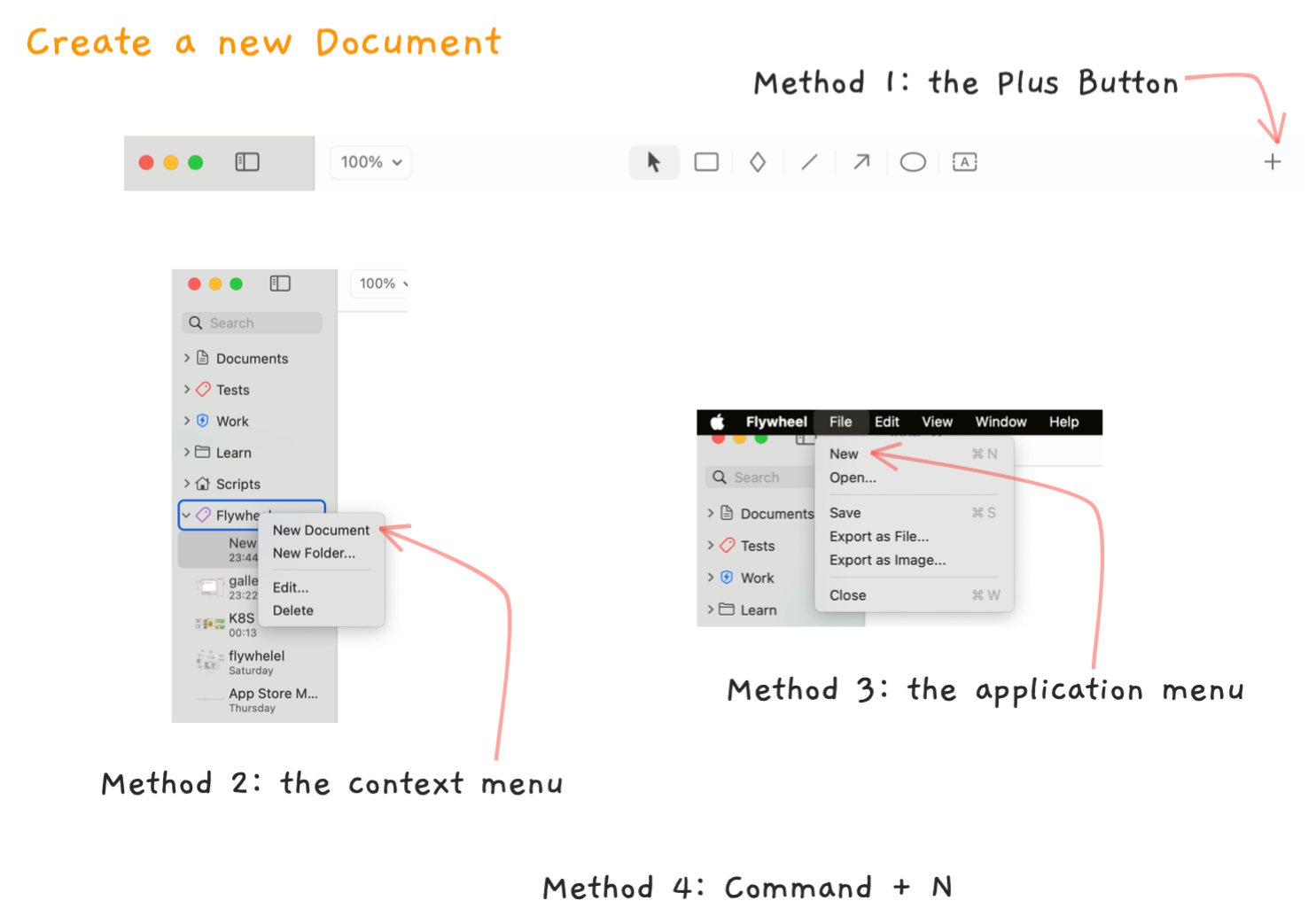
There are several ways to create a new document:
- Click the plus button in the toolbar.
- Right click on a folder in the sidebar and choose New Document.
- Use the File -> New menu to create a new document.
- Just Command + N.
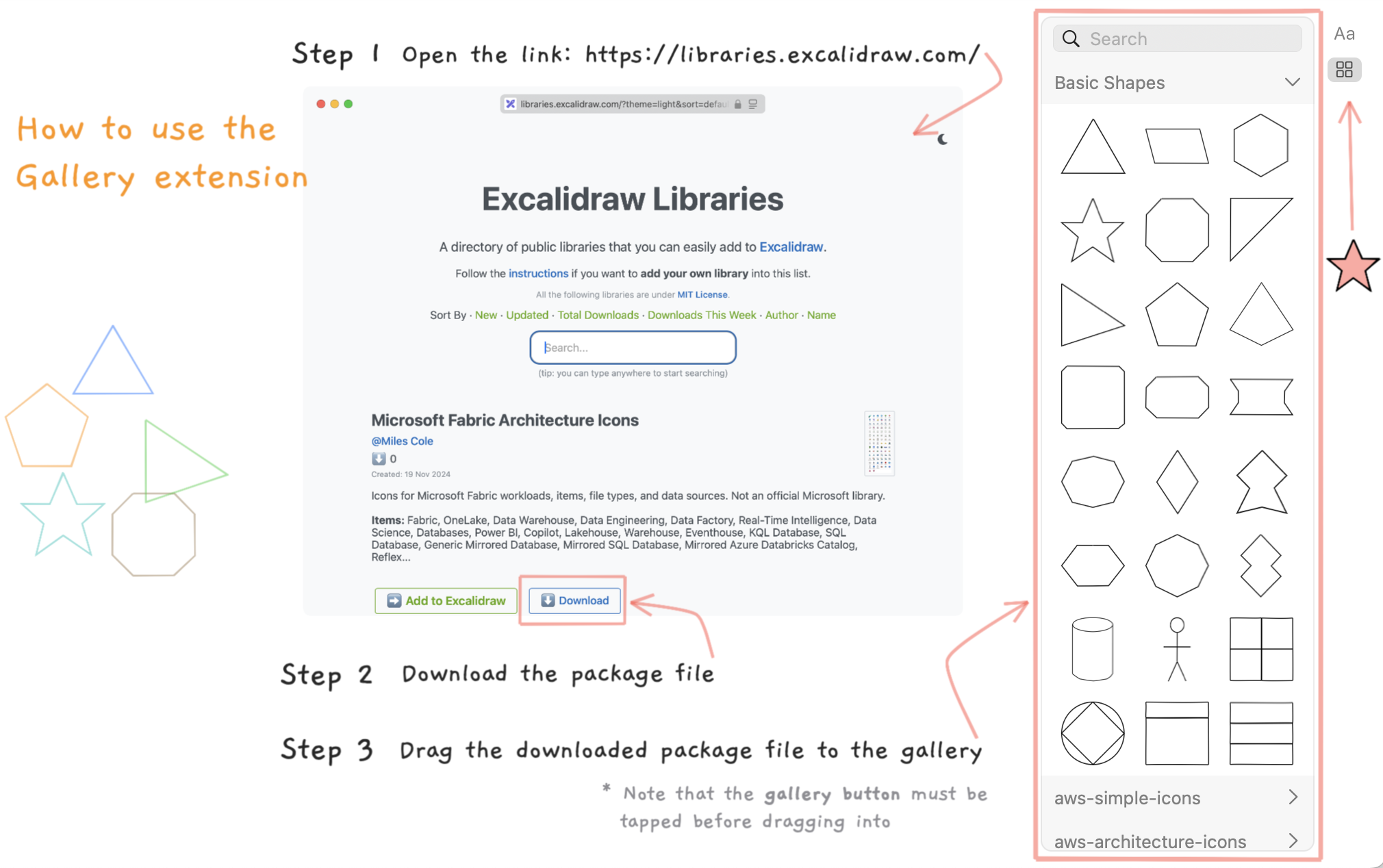
How to use the Gallery Extension
We support third party shape libraries to extend shape templates. Currenty the extension for supporting Excalidraw Libraries is already bundled with the application. Use the following instructions to install the libraries. Once a library is installed, you can drag its components into your document.
Contact
For any issues, questions or suggestions, please do not hesitate to contact us.